
Startup Customer Onboarding: How to Get It Right

3x founder · Coach to 300+ founders
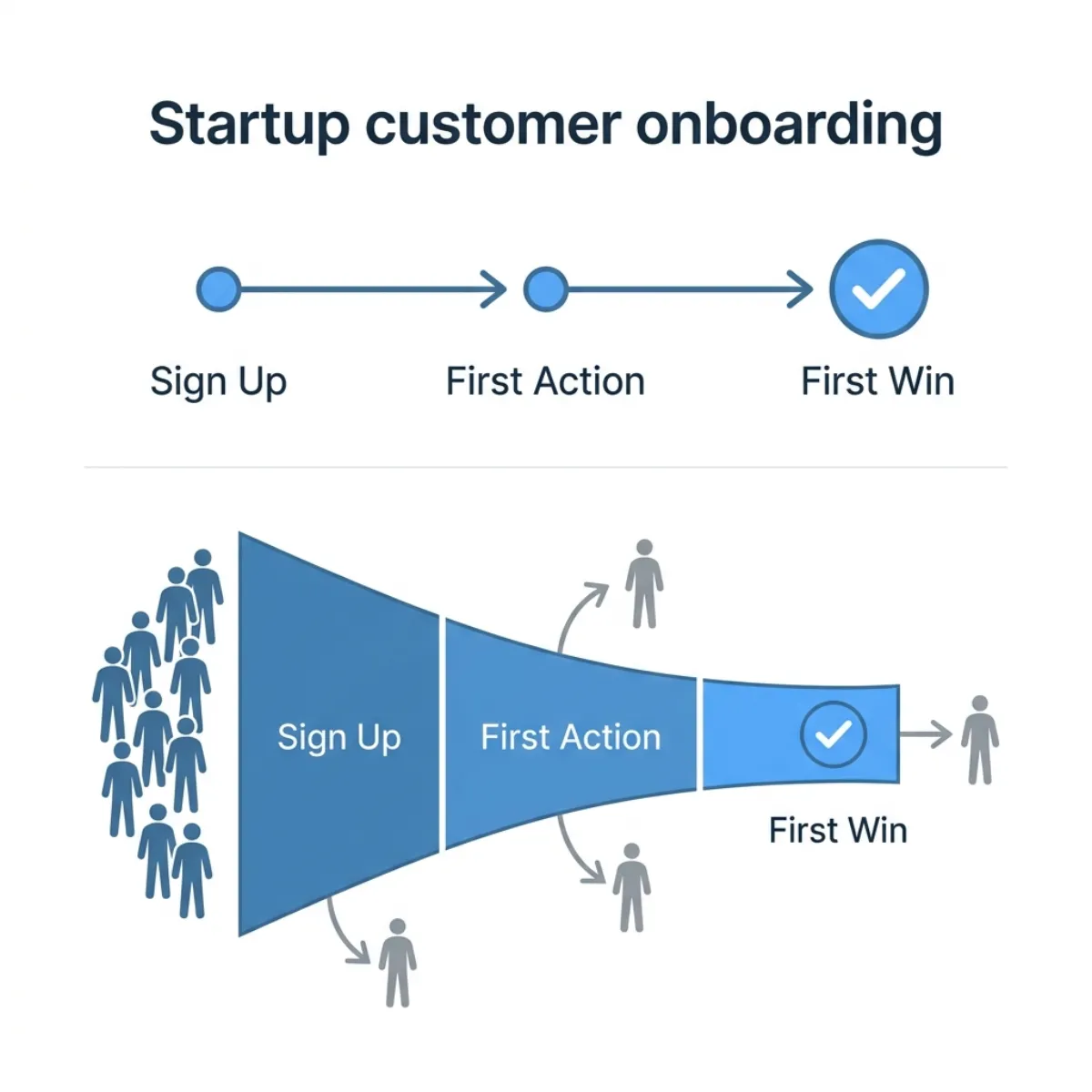
A customer can finish your onboarding checklist and still be unable to do the job they signed up for.
They created an account. Invited a teammate. Imported some data. Your dashboard says they’re active, but the work still happens in a spreadsheet.
Startup customer onboarding should help a new customer complete a useful piece of their real work, then make it possible to do that work again. Before you add another welcome email, define what that completed job would look like.
Start with the customer’s job
Ask the customer what they need to get done, who participates, and what makes the result usable. Reconstruct the last time they did it with their current process. That gives you a starting point for the outcome, the constraints and the people your onboarding needs to serve.
“Set up the account” describes your software. “Get a routine invoice approved by the right person, with a record we can use” describes a customer job. The setup steps matter because they make that job possible. Completing them doesn’t establish that it happened.
Intercom’s Customer Milestones Framework separates setup, activation and deeper utilization. Its milestones came from research into its own customers and product usage. Borrow the distinction; work out the evidence for your product.
A worked example: an invoice-approval tool
Imagine you’re testing a tool with a small services business. This is a hypothetical example, not a client result. Its office manager wants routine invoices to reach the appropriate approver without chasing people across email.
Four observations would tell you different things:
| Stage | Observable evidence | What it doesn’t establish |
|---|---|---|
| Setup | The office manager has permission to use the relevant data, connects the workflow and invites the approver. | That an invoice has moved through it successfully. |
| First completed job | An authorized approver handles a real invoice correctly, and the office manager can retrieve the required record. | That the workflow will work repeatedly or save enough effort to matter. |
| Repeat use | On the next real batch, the team completes the job again. Record reminders, manual fixes and founder help. | That every exception is covered or the buyer will pay. |
| Buying decision | The budget owner reviews the evidence and decides whether to continue on stated terms. | That one purchase guarantees long-term retention. |
A demo invoice can check whether the mechanics work. Keep that separate from evidence that the customer’s actual job got done. Use only data and access the customer has authorized; if a real-data test isn’t permitted, record that limit.
Agree on what the beta will test
Before extending a free beta, finish this sentence with the customer: “By our review, we want to see [person] complete [job], with [required result], under [constraints].”
For the hypothetical tool, that could mean the office manager can show which routine invoices were approved, by whom, and what still needed chasing. Agree which invoices are in scope, who can approve them and when the team will actually have work to process. Don’t remove permissions or review steps just to make onboarding faster.
Name the next decision as well. Are you deciding whether to try another batch, fix a particular obstacle, narrow the use case, discuss paid continuation or stop? A longer trial without a new question gives you more calendar time, not necessarily better evidence.
Watch the first attempt
For early customers, watch someone attempt the job. Ask them to talk through what they expect to happen. Let them try before explaining every button.
A stalled invoice could mean the approver never received an invitation, the team lacks permission to share the data, the status is unclear, or the product doesn’t support a necessary exception. Those require different fixes. An inactivity label can’t tell you which one occurred.
If you complete a step for the customer, record that help. Manual assistance can teach you what to build or explain, but a founder-operated success isn’t proof that a customer can finish independently.
Paul Graham’s advice to do things that don’t scale includes attentive help for early users. Use that contact to learn where the work breaks, then make the next attempt easier.
Measure completed work and return
Choose a meaningful observation window for the job. A daily planning tool and a monthly invoice process have different opportunities for repeat use. Pick a window that includes a genuine chance to do the work again.
Track the number of eligible new customers who attempt the job, how many complete it, how long completion takes, and what help or corrections they need. Keep the denominator visible. “Two of five teams completed their first batch” is more useful than an activation percentage without a definition.
Then check who completes a later job and who decides to continue. An event associated with retained customers is a useful hypothesis; it doesn’t prove that forcing every new user through that event will cause retention.
Amplitude’s time-to-value guidance makes a useful distinction between completing a setup action and experiencing its benefit. Your chosen event should help you investigate that benefit, rather than substitute for it.
Make reminders respond to the work
A reminder should help someone take the next relevant step. If an invitation failed, help them resolve access. If an approver is waiting for missing information, identify what’s missing. If the team finished its batch, don’t send another “get started” message.
For a small beta, you can inspect these situations manually before building automation. Respect the contact permissions you’ve agreed with the customer. More messages won’t fix a task that doesn’t matter to them.
Choose the next change
Review the attempts with the customer. If nobody has the job you designed for, revisit the problem and buyer. If the job matters but people can’t get through it, fix the specific obstacle. If they complete it once but don’t return when the work recurs, ask what they used instead and why.
The next improvement should follow that evidence. Sometimes it is a shorter setup. Sometimes it is a missing capability, a narrower customer or a reason to stop. More traffic and a longer feature tour won’t settle those questions for you.
The No BS Startup Growth Playbook covers the wider customer lifecycle. Use it to locate the stage you need to investigate, then test one concrete handoff.
Related startup guides
Use the startup guide to see onboarding in the full customer lifecycle. For an AI-assisted workflow, the AI pilot evaluation guide works through human review, correction and cost. When customers get value but deals stall, the B2B deal follow-through guide helps you define the next buying decision.
Related Startup Guides
All articlesLaunch
Build Startup Products Your Customers Come Back For
The founder who listens before building beats the one who ships first and asks later. How to build startup products customers actually use and keep using.
Launch
How to Build an MVP (2026 Founder Guide)
How to build an MVP that actually validates your idea: a four-stage order to scope, build, test, and iterate without burning runway on the wrong features.
Launch
Startup Pricing Strategy: You're Undercharging by 3-5x
A client went from $19 to $149 a seat in one week and converted better. The framework: 3 pricing models, a 10-prospect price ladder, when to raise.
Farzad Khosravi
No BS Startup Coach · 300+ Founders Coached
I help early-stage founders launch, grow, and lead with clarity. I cut through the noise to the few tactics that actually change your numbers. I've coached 300+ founders across validation, growth, leadership, and fundraising.